Guide
How do I update my name, address or documents in Home Qualifiers?
Feb 2026, By Home Qualifiers
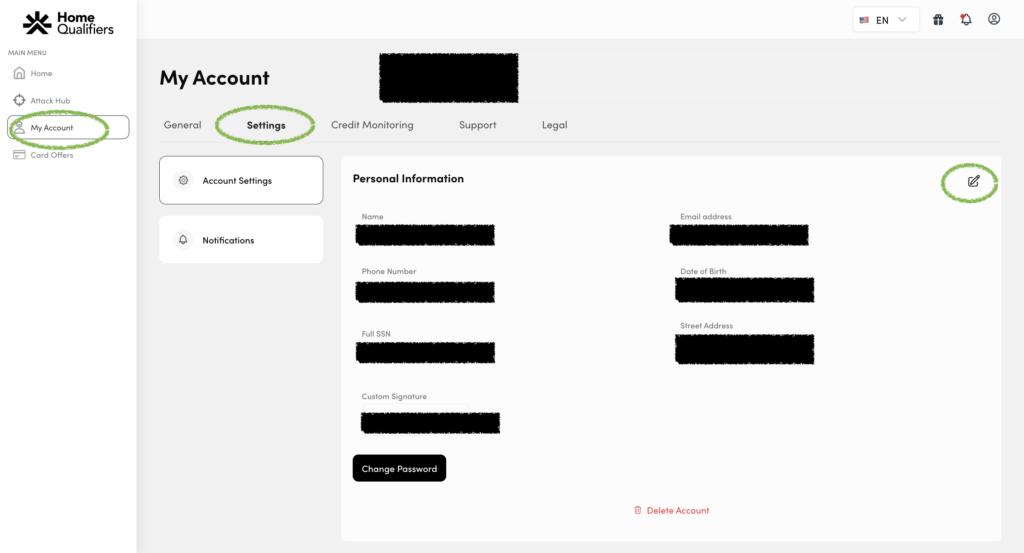
You can edit your personal information (name, address, dob, phone number, ssn) in Home Qualifiers easily by doing the following 5 steps:
- Log into Home Qualifiers
- Go to My Account
- Click Settings
- Click the edit icon
- Update your personal information
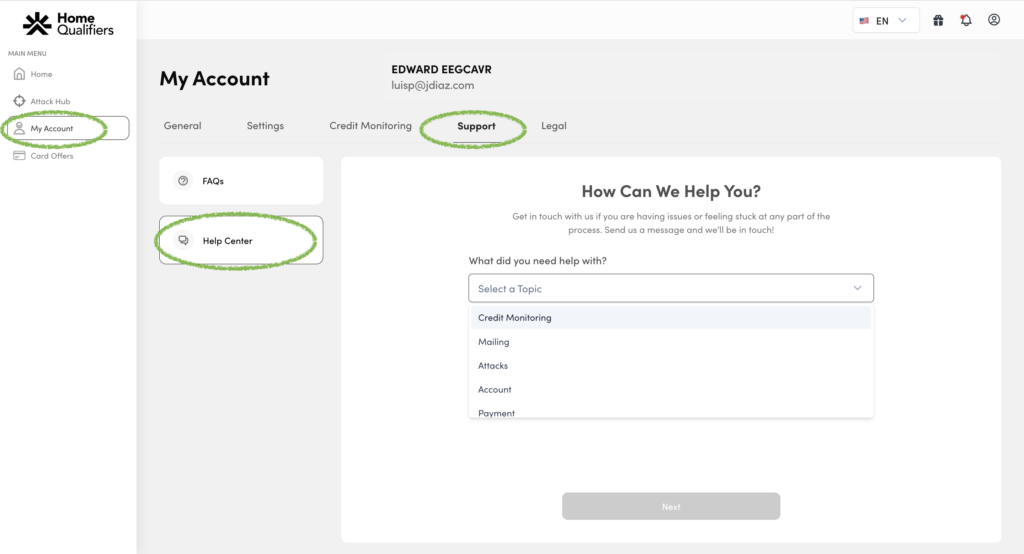
You can update your 3 forms of ID by doing the following
- Log into Home Qualifiers
- Go to My Account
- Click General
- Click the arrow next to the document you would like to update or change
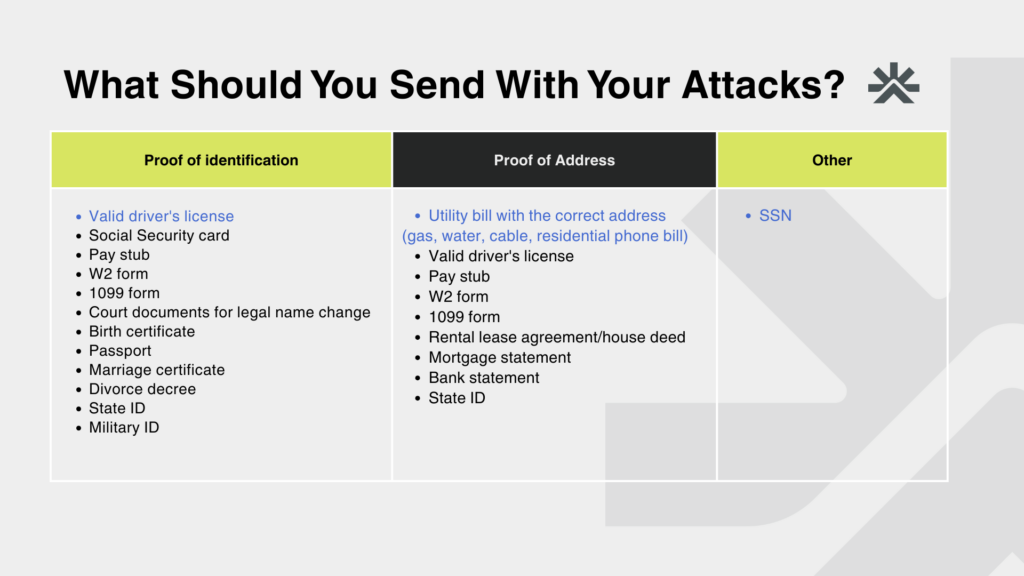
By incorporating the right documentation with your dispute letters, you can significantly enhance the effectiveness of your credit repair efforts. With Home Qualifiers guiding you every step of the way, ensure that your documents are accurate, relevant, and consistent to achieve optimal results.